# *EmbodiedGen*: Towards a Generative 3D World Engine for Embodied Intelligence
[](https://horizonrobotics.github.io/robot_lab/embodied_gen/index.html)
[](https://arxiv.org/abs/2506.10600)
[](https://www.youtube.com/watch?v=rG4odybuJRk)
[](https://huggingface.co/spaces/HorizonRobotics/EmbodiedGen-Image-to-3D)
[](https://huggingface.co/spaces/HorizonRobotics/EmbodiedGen-Text-to-3D)
[](https://huggingface.co/spaces/HorizonRobotics/EmbodiedGen-Texture-Gen)
[](https://mp.weixin.qq.com/s/HH1cPBhK2xcDbyCK4BBTbw)
[](https://huggingface.co/spaces/HorizonRobotics/EmbodiedGen-Gallery-Explorer)
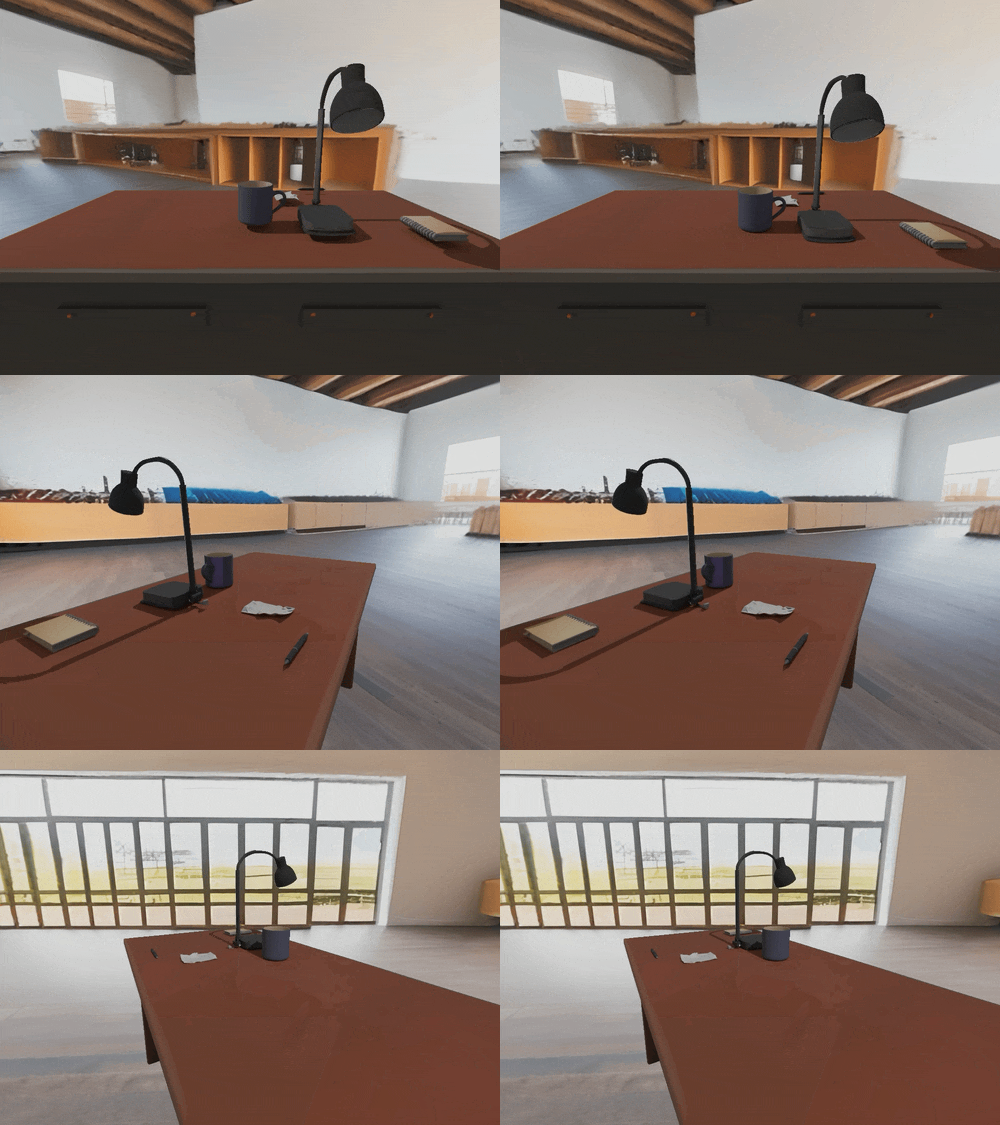
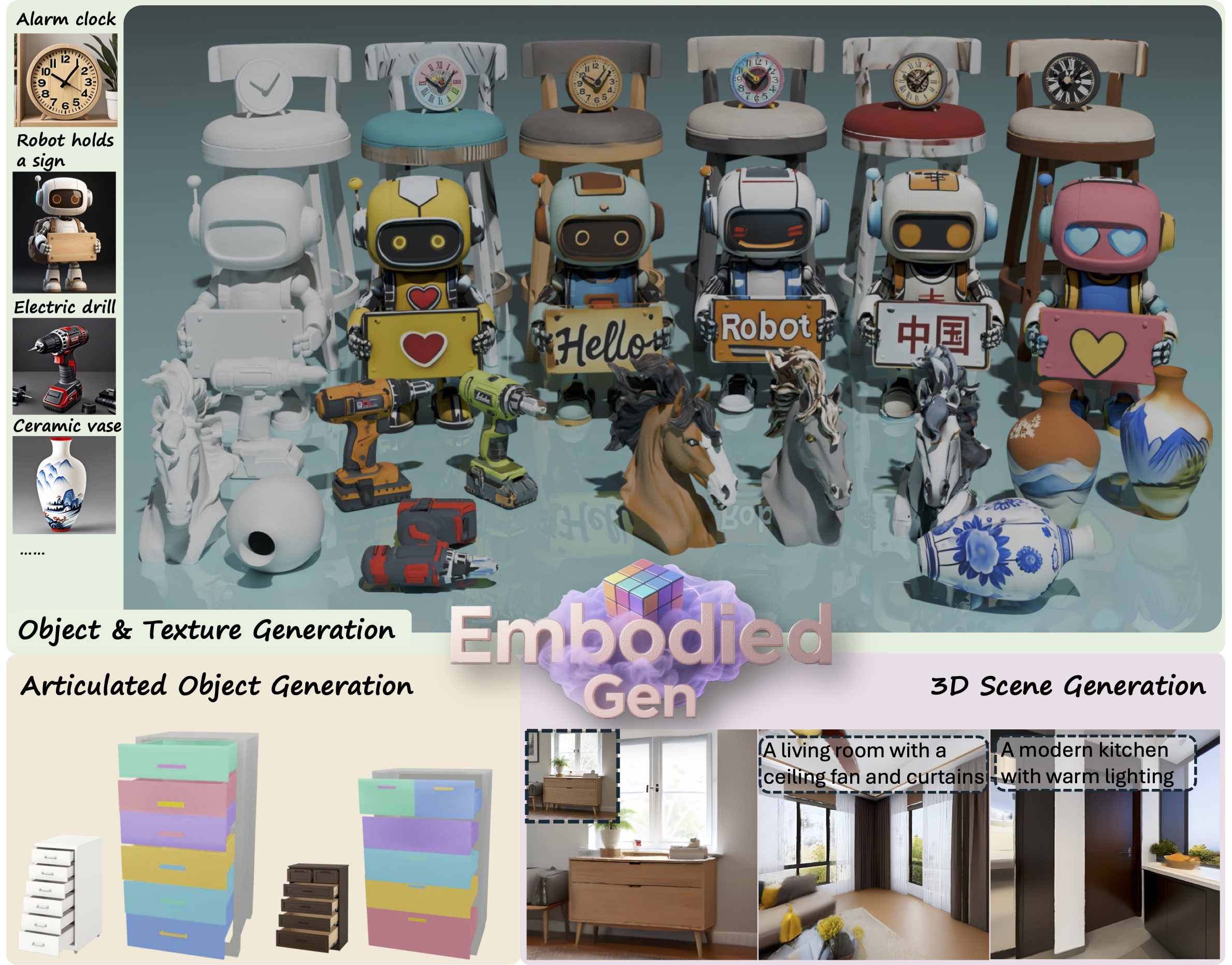
> ***EmbodiedGen*** is a generative engine to create diverse and interactive 3D worlds composed of high-quality 3D assets(mesh & 3DGS) with plausible physics, leveraging generative AI to address the challenges of generalization in embodied intelligence related research.
> It composed of six key modules: `Image-to-3D`, `Text-to-3D`, `Texture Generation`, `Articulated Object Generation`, `Scene Generation` and `Layout Generation`.
 ---
## ✨ Table of Contents of EmbodiedGen
- [🖼️ Image-to-3D](#image-to-3d)
- [📝 Text-to-3D](#text-to-3d)
- [🎨 Texture Generation](#texture-generation)
- [🌍 3D Scene Generation](#3d-scene-generation)
- [⚙️ Articulated Object Generation](#articulated-object-generation)
- [🏞️ Layout (Interactive 3D Worlds) Generation](#layout-generation)
- [🎮 Any Simulators](#any-simulators)
## 🚀 Quick Start
### ✅ Setup Environment
```sh
git clone https://github.com/HorizonRobotics/EmbodiedGen.git
cd EmbodiedGen
git checkout v0.1.5
git submodule update --init --recursive --progress
conda create -n embodiedgen python=3.10.13 -y # recommended to use a new env.
conda activate embodiedgen
bash install.sh basic
```
### ✅ Starting from Docker
We provide a pre-built Docker image on [Docker Hub](https://hub.docker.com/repository/docker/wangxinjie/embodiedgen) with a configured environment for your convenience. For more details, please refer to [Docker documentation](https://github.com/HorizonRobotics/EmbodiedGen/tree/master/docker).
> **Note:** Model checkpoints are not included in the image, they will be automatically downloaded on first run. You still need to set up the GPT Agent manually.
```sh
IMAGE=wangxinjie/embodiedgen:env_v0.1.x
CONTAINER=EmbodiedGen-docker-${USER}
docker pull ${IMAGE}
docker run -itd --shm-size="64g" --gpus all --cap-add=SYS_PTRACE --security-opt seccomp=unconfined --privileged --net=host --name ${CONTAINER} ${IMAGE}
docker exec -it ${CONTAINER} bash
```
### ✅ Setup GPT Agent
Update the API key in file: `embodied_gen/utils/gpt_config.yaml`.
You can choose between two backends for the GPT agent:
- **`gpt-4o`** (Recommended) – Use this if you have access to **Azure OpenAI**.
- **`qwen2.5-vl`** – An alternative with free usage via OpenRouter, apply a free key [here](https://openrouter.ai/settings/keys) and update `api_key` in `embodied_gen/utils/gpt_config.yaml` (50 free requests per day)
### 📸 Directly use EmbodiedGen All-Simulators-Ready Assets
Explore EmbodiedGen generated assets in [](https://huggingface.co/spaces/HorizonRobotics/EmbodiedGen-Gallery-Explorer) that are ready for simulation across any simulators (SAPIEN, Isaac Sim, MuJoCo, PyBullet, Genesis, Isaac Gym etc.). Details in chapter [any-simulators](#any-simulators).
---
---
## ✨ Table of Contents of EmbodiedGen
- [🖼️ Image-to-3D](#image-to-3d)
- [📝 Text-to-3D](#text-to-3d)
- [🎨 Texture Generation](#texture-generation)
- [🌍 3D Scene Generation](#3d-scene-generation)
- [⚙️ Articulated Object Generation](#articulated-object-generation)
- [🏞️ Layout (Interactive 3D Worlds) Generation](#layout-generation)
- [🎮 Any Simulators](#any-simulators)
## 🚀 Quick Start
### ✅ Setup Environment
```sh
git clone https://github.com/HorizonRobotics/EmbodiedGen.git
cd EmbodiedGen
git checkout v0.1.5
git submodule update --init --recursive --progress
conda create -n embodiedgen python=3.10.13 -y # recommended to use a new env.
conda activate embodiedgen
bash install.sh basic
```
### ✅ Starting from Docker
We provide a pre-built Docker image on [Docker Hub](https://hub.docker.com/repository/docker/wangxinjie/embodiedgen) with a configured environment for your convenience. For more details, please refer to [Docker documentation](https://github.com/HorizonRobotics/EmbodiedGen/tree/master/docker).
> **Note:** Model checkpoints are not included in the image, they will be automatically downloaded on first run. You still need to set up the GPT Agent manually.
```sh
IMAGE=wangxinjie/embodiedgen:env_v0.1.x
CONTAINER=EmbodiedGen-docker-${USER}
docker pull ${IMAGE}
docker run -itd --shm-size="64g" --gpus all --cap-add=SYS_PTRACE --security-opt seccomp=unconfined --privileged --net=host --name ${CONTAINER} ${IMAGE}
docker exec -it ${CONTAINER} bash
```
### ✅ Setup GPT Agent
Update the API key in file: `embodied_gen/utils/gpt_config.yaml`.
You can choose between two backends for the GPT agent:
- **`gpt-4o`** (Recommended) – Use this if you have access to **Azure OpenAI**.
- **`qwen2.5-vl`** – An alternative with free usage via OpenRouter, apply a free key [here](https://openrouter.ai/settings/keys) and update `api_key` in `embodied_gen/utils/gpt_config.yaml` (50 free requests per day)
### 📸 Directly use EmbodiedGen All-Simulators-Ready Assets
Explore EmbodiedGen generated assets in [](https://huggingface.co/spaces/HorizonRobotics/EmbodiedGen-Gallery-Explorer) that are ready for simulation across any simulators (SAPIEN, Isaac Sim, MuJoCo, PyBullet, Genesis, Isaac Gym etc.). Details in chapter [any-simulators](#any-simulators).
---
🖼️ Image-to-3D
[](https://huggingface.co/spaces/HorizonRobotics/EmbodiedGen-Image-to-3D) Generate physically plausible 3D asset URDF from single input image, offering high-quality support for digital twin systems.
(HF space is a simplified demonstration. For the full functionality, please refer to `img3d-cli`.)
 ### ☁️ Service
Run the image-to-3D generation service locally.
Models downloaded automatically on first run, please be patient.
```sh
# Run in foreground
python apps/image_to_3d.py
# Or run in the background
CUDA_VISIBLE_DEVICES=0 nohup python apps/image_to_3d.py > /dev/null 2>&1 &
```
### ⚡ API
Generate physically plausible 3D assets from image input via the command-line API.
```sh
img3d-cli --image_path apps/assets/example_image/sample_00.jpg apps/assets/example_image/sample_01.jpg apps/assets/example_image/sample_19.jpg \
--n_retry 1 --output_root outputs/imageto3d
# See result(.urdf/mesh.obj/mesh.glb/gs.ply) in ${output_root}/sample_xx/result
```
---
### ☁️ Service
Run the image-to-3D generation service locally.
Models downloaded automatically on first run, please be patient.
```sh
# Run in foreground
python apps/image_to_3d.py
# Or run in the background
CUDA_VISIBLE_DEVICES=0 nohup python apps/image_to_3d.py > /dev/null 2>&1 &
```
### ⚡ API
Generate physically plausible 3D assets from image input via the command-line API.
```sh
img3d-cli --image_path apps/assets/example_image/sample_00.jpg apps/assets/example_image/sample_01.jpg apps/assets/example_image/sample_19.jpg \
--n_retry 1 --output_root outputs/imageto3d
# See result(.urdf/mesh.obj/mesh.glb/gs.ply) in ${output_root}/sample_xx/result
```
---
📝 Text-to-3D
[](https://huggingface.co/spaces/HorizonRobotics/EmbodiedGen-Text-to-3D) Create 3D assets from text descriptions for a wide range of geometry and styles. (HF space is a simplified demonstration. For the full functionality, please refer to `text3d-cli`.)
 ### ☁️ Service
Deploy the text-to-3D generation service locally.
Text-to-image model based on the Kolors model, supporting Chinese and English prompts.
Models downloaded automatically on first run, please be patient.
```sh
python apps/text_to_3d.py
```
### ⚡ API
Text-to-image model based on SD3.5 Medium, English prompts only.
Usage requires agreement to the [model license(click accept)](https://huggingface.co/stabilityai/stable-diffusion-3.5-medium), models downloaded automatically.
For large-scale 3D asset generation, set `--n_image_retry=4` `--n_asset_retry=3` `--n_pipe_retry=2`, slower but better, via automatic checking and retries. For more diverse results, omit `--seed_img`.
```sh
text3d-cli --prompts "small bronze figurine of a lion" "A globe with wooden base" "wooden table with embroidery" \
--n_image_retry 1 --n_asset_retry 1 --n_pipe_retry 1 --seed_img 0 \
--output_root outputs/textto3d
```
Text-to-image model based on the Kolors model.
```sh
bash embodied_gen/scripts/textto3d.sh \
--prompts "small bronze figurine of a lion" "A globe with wooden base and latitude and longitude lines" "橙色电动手钻,有磨损细节" \
--output_root outputs/textto3d_k
```
ps: models with more permissive licenses found in `embodied_gen/models/image_comm_model.py`
---
### ☁️ Service
Deploy the text-to-3D generation service locally.
Text-to-image model based on the Kolors model, supporting Chinese and English prompts.
Models downloaded automatically on first run, please be patient.
```sh
python apps/text_to_3d.py
```
### ⚡ API
Text-to-image model based on SD3.5 Medium, English prompts only.
Usage requires agreement to the [model license(click accept)](https://huggingface.co/stabilityai/stable-diffusion-3.5-medium), models downloaded automatically.
For large-scale 3D asset generation, set `--n_image_retry=4` `--n_asset_retry=3` `--n_pipe_retry=2`, slower but better, via automatic checking and retries. For more diverse results, omit `--seed_img`.
```sh
text3d-cli --prompts "small bronze figurine of a lion" "A globe with wooden base" "wooden table with embroidery" \
--n_image_retry 1 --n_asset_retry 1 --n_pipe_retry 1 --seed_img 0 \
--output_root outputs/textto3d
```
Text-to-image model based on the Kolors model.
```sh
bash embodied_gen/scripts/textto3d.sh \
--prompts "small bronze figurine of a lion" "A globe with wooden base and latitude and longitude lines" "橙色电动手钻,有磨损细节" \
--output_root outputs/textto3d_k
```
ps: models with more permissive licenses found in `embodied_gen/models/image_comm_model.py`
---
🎨 Texture Generation
[](https://huggingface.co/spaces/HorizonRobotics/EmbodiedGen-Texture-Gen) Generate visually rich textures for 3D mesh.
 ### ☁️ Service
Run the texture generation service locally.
Models downloaded automatically on first run, see `download_kolors_weights`, `geo_cond_mv`.
```sh
python apps/texture_edit.py
```
### ⚡ API
Support Chinese and English prompts.
```sh
texture-cli --mesh_path "apps/assets/example_texture/meshes/robot_text.obj" \
"apps/assets/example_texture/meshes/horse.obj" \
--prompt "举着牌子的写实风格机器人,大眼睛,牌子上写着“Hello”的文字" \
"A gray horse head with flying mane and brown eyes" \
--output_root "outputs/texture_gen" \
--seed 0
```
---
### ☁️ Service
Run the texture generation service locally.
Models downloaded automatically on first run, see `download_kolors_weights`, `geo_cond_mv`.
```sh
python apps/texture_edit.py
```
### ⚡ API
Support Chinese and English prompts.
```sh
texture-cli --mesh_path "apps/assets/example_texture/meshes/robot_text.obj" \
"apps/assets/example_texture/meshes/horse.obj" \
--prompt "举着牌子的写实风格机器人,大眼睛,牌子上写着“Hello”的文字" \
"A gray horse head with flying mane and brown eyes" \
--output_root "outputs/texture_gen" \
--seed 0
```
---
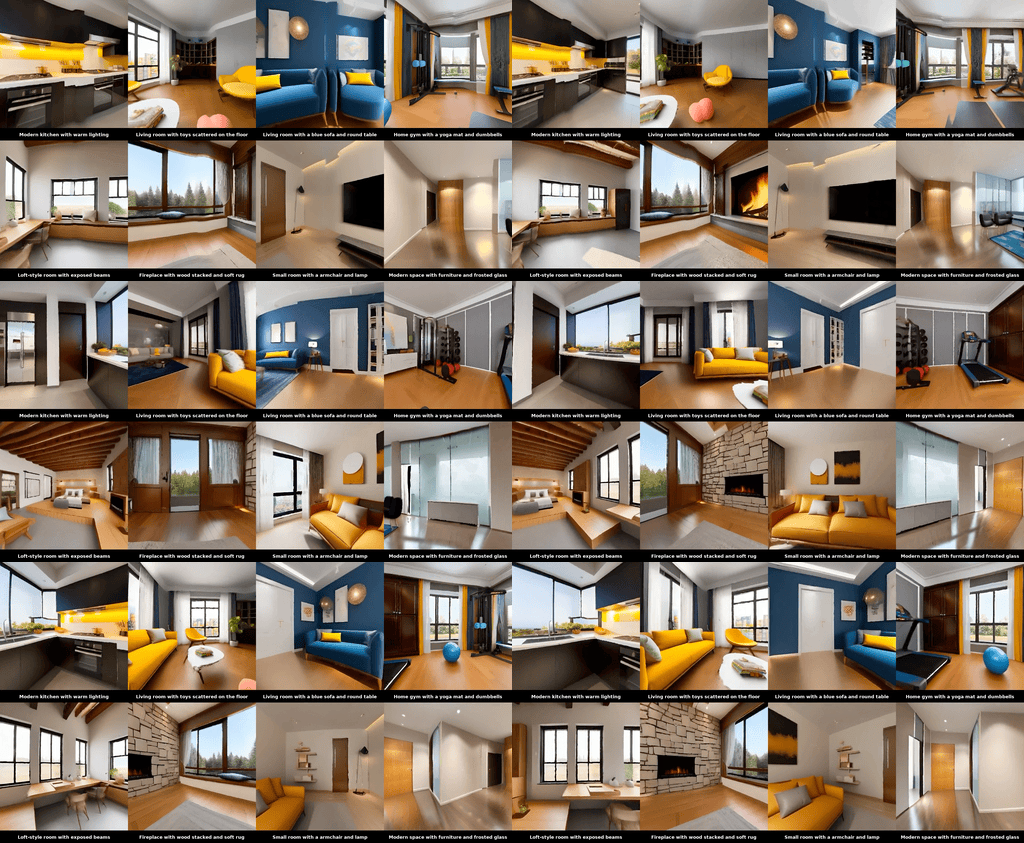
🌍 3D Scene Generation
 ### ⚡ API
> Run `bash install.sh extra` to install additional requirements if you need to use `scene3d-cli`.
It takes ~30mins to generate a color mesh and 3DGS per scene.
```sh
CUDA_VISIBLE_DEVICES=0 scene3d-cli \
--prompts "Art studio with easel and canvas" \
--output_dir outputs/bg_scenes/ \
--seed 0 \
--gs3d.max_steps 4000 \
--disable_pano_check
```
---
### ⚡ API
> Run `bash install.sh extra` to install additional requirements if you need to use `scene3d-cli`.
It takes ~30mins to generate a color mesh and 3DGS per scene.
```sh
CUDA_VISIBLE_DEVICES=0 scene3d-cli \
--prompts "Art studio with easel and canvas" \
--output_dir outputs/bg_scenes/ \
--seed 0 \
--gs3d.max_steps 4000 \
--disable_pano_check
```
---
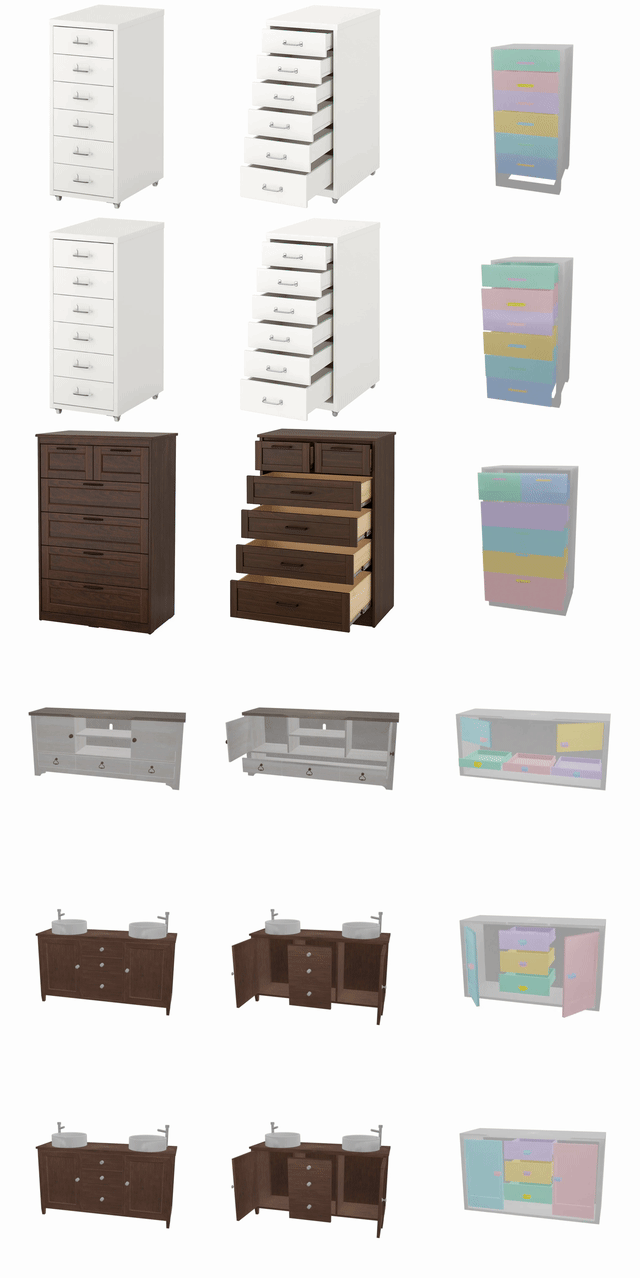
⚙️ Articulated Object Generation
🚧 *Coming Soon*
 ---
---
🏞️ Layout(Interactive 3D Worlds) Generation
### 💬 Generate Layout from task description
Text-to-image model based on SD3.5 Medium, usage requires agreement to the [model license](https://huggingface.co/stabilityai/stable-diffusion-3.5-medium). All models auto-downloaded at the first run.
You can generate any desired room as background using `scene3d-cli`. As each scene takes approximately 30 minutes to generate, we recommend pre-generating them for efficiency and adding them to `outputs/bg_scenes/scene_list.txt`.
We provided some sample background assets created with `scene3d-cli`. Download them(~4G) using `hf download xinjjj/scene3d-bg --repo-type dataset --local-dir outputs`.
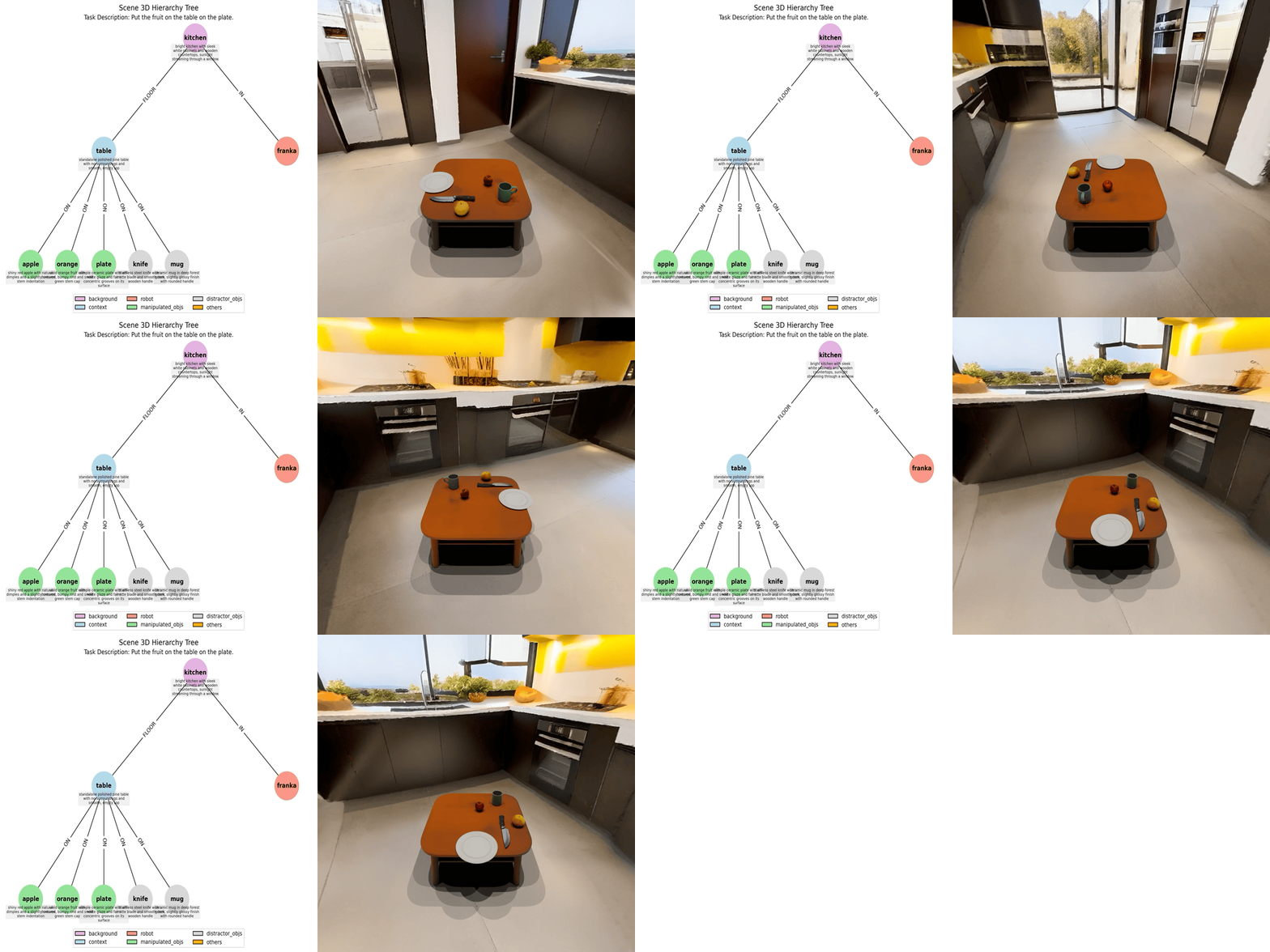
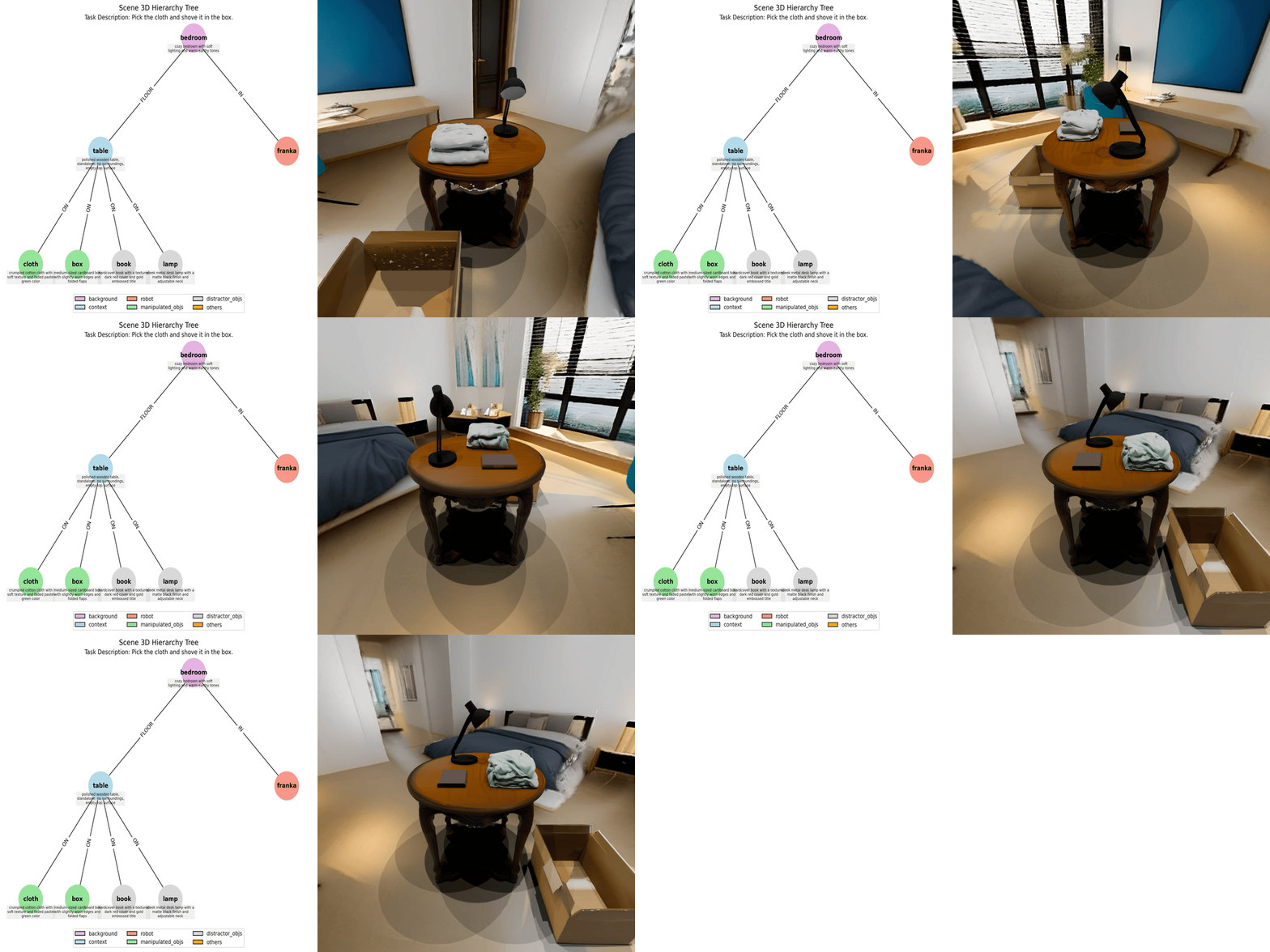
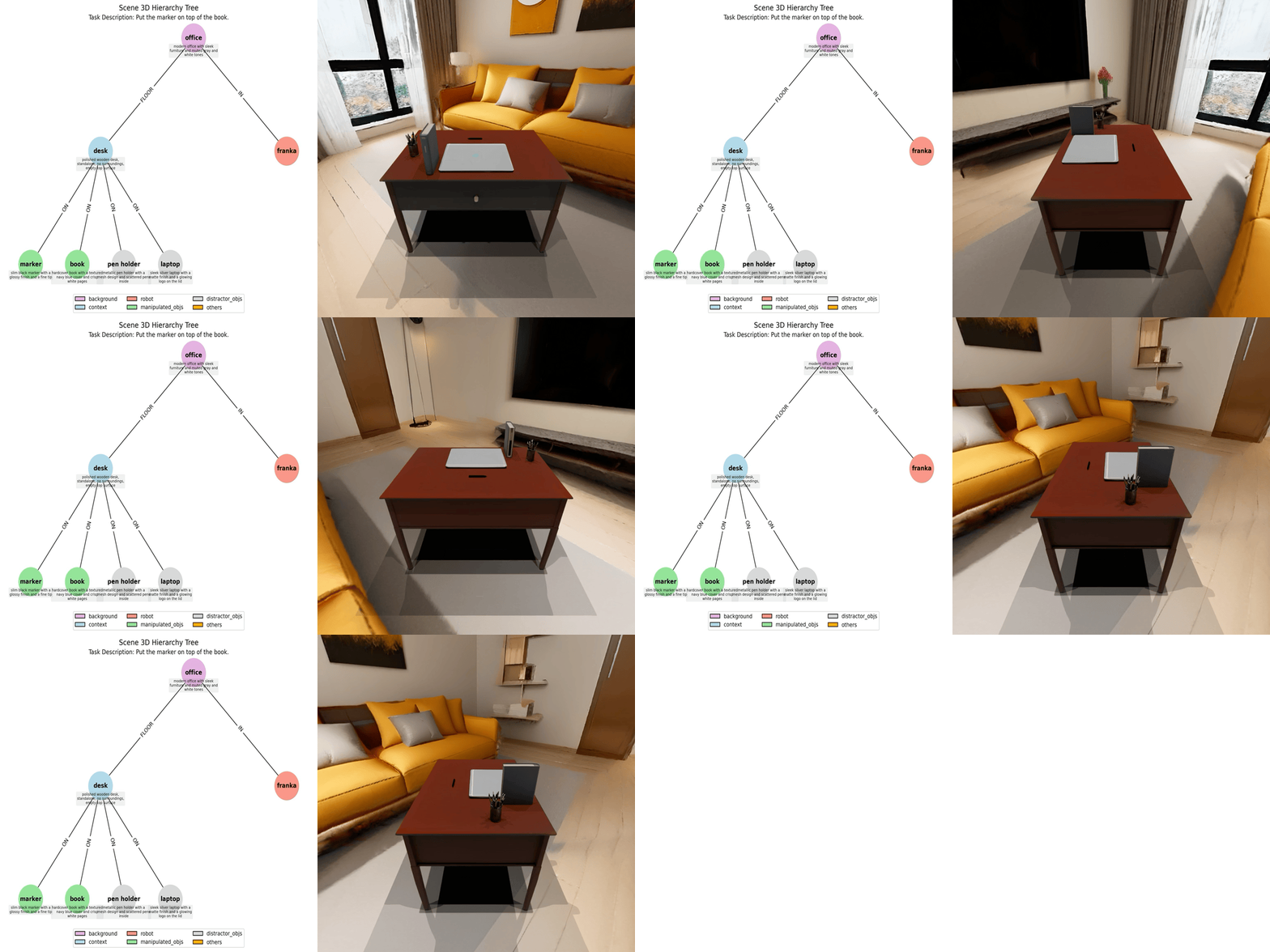
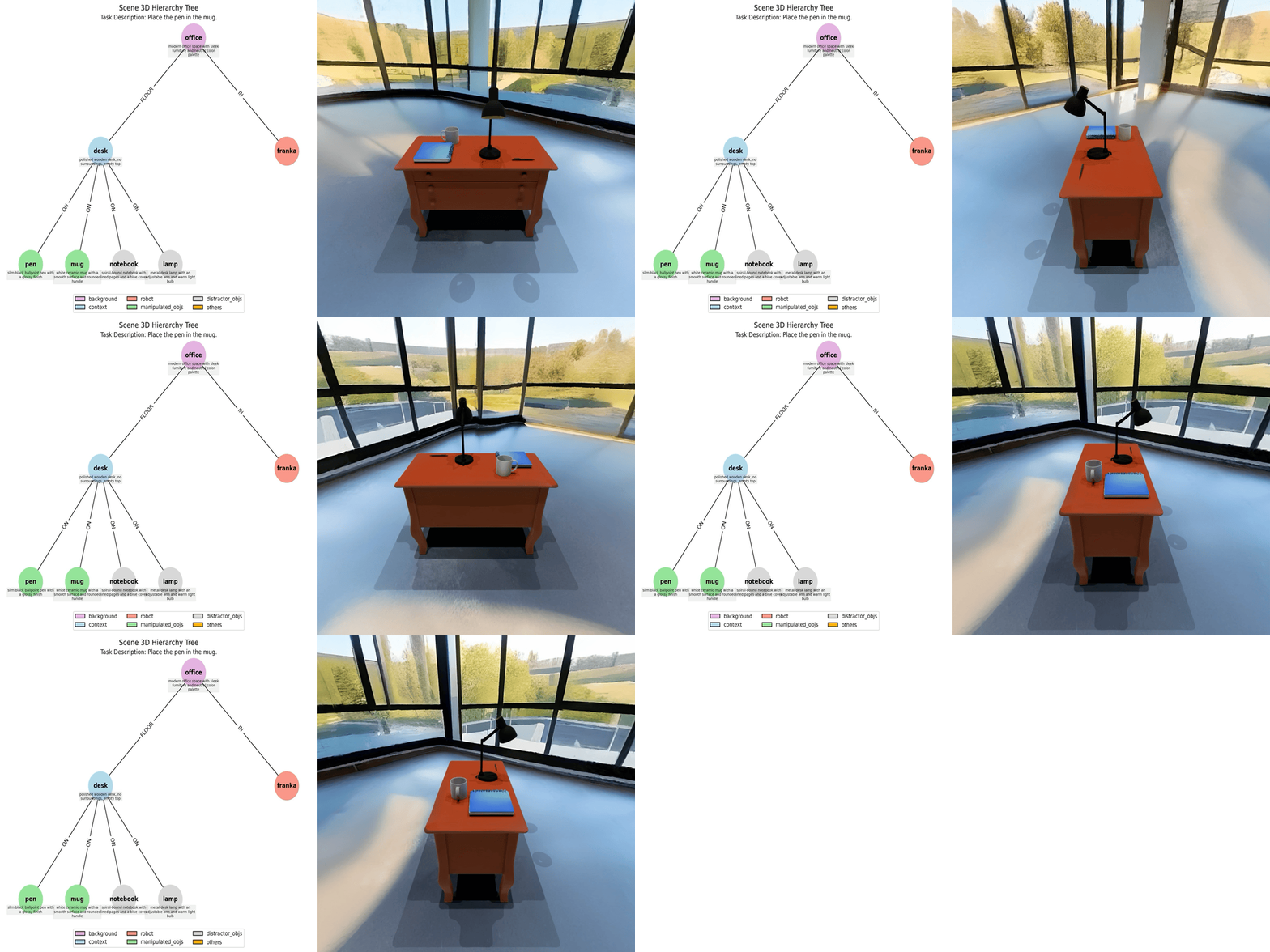
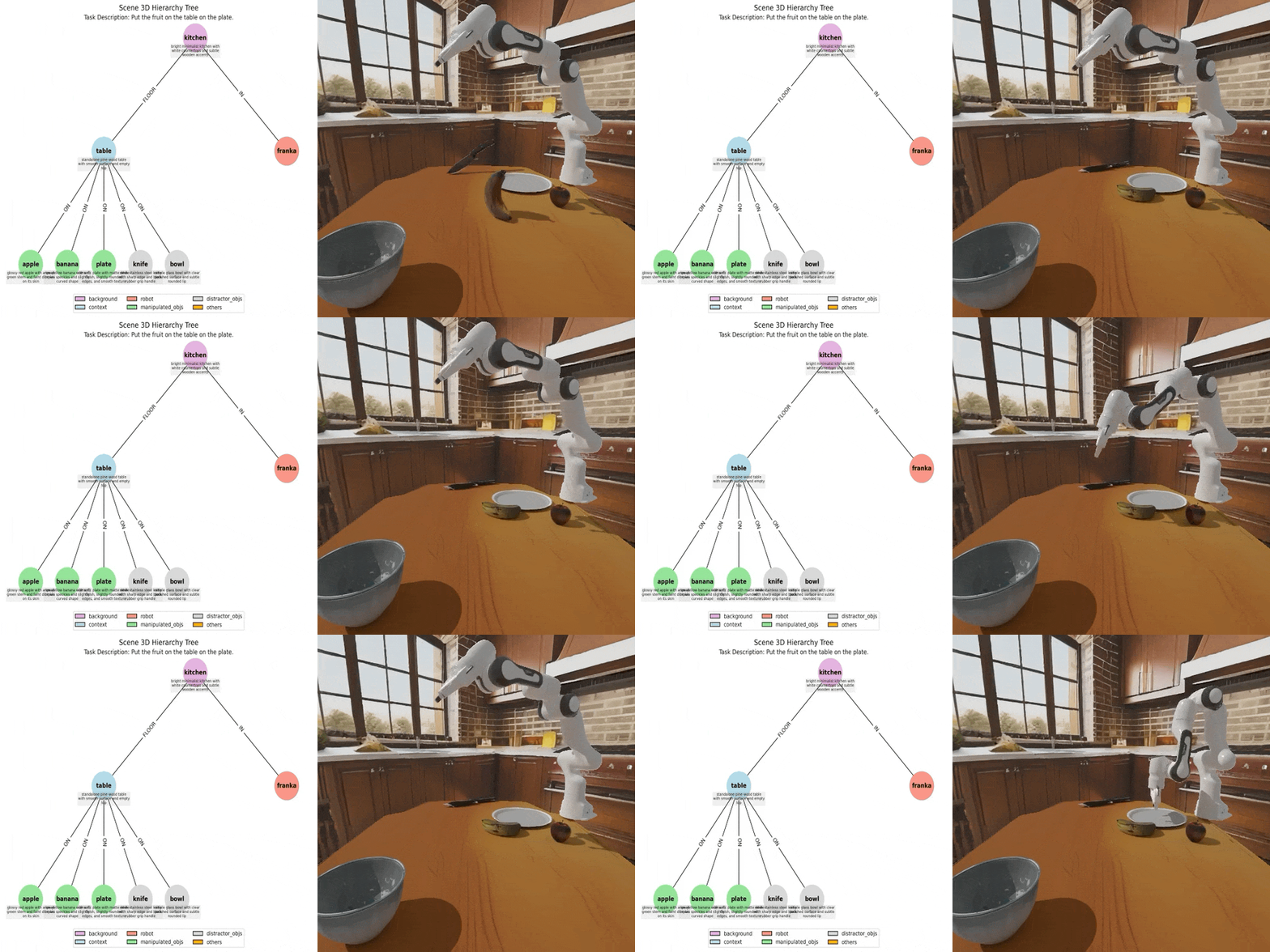
Generating one interactive 3D scene from task description with `layout-cli` takes approximately 30 minutes.
```sh
layout-cli --task_descs "Place the pen in the mug on the desk" "Put the fruit on the table on the plate" \
--bg_list "outputs/bg_scenes/scene_list.txt" --output_root "outputs/layouts_gen" --insert_robot
```
Run multiple tasks defined in `task_list.txt` in the backend.
Remove `--insert_robot` if you don't consider the robot pose in layout generation.
```sh
CUDA_VISIBLE_DEVICES=0 nohup layout-cli \
--task_descs "apps/assets/example_layout/task_list.txt" \
--bg_list "outputs/bg_scenes/scene_list.txt" \
--output_root "outputs/layouts_gens" --insert_robot > layouts_gens.log &
```
Using `compose_layout.py`, you can recompose the layout of the generated interactive 3D scenes.
```sh
python embodied_gen/scripts/compose_layout.py \
--layout_path "outputs/layouts_gens/task_0000/layout.json" \
--output_dir "outputs/layouts_gens/task_0000/recompose" \
--insert_robot
```
We provide `sim-cli`, that allows users to easily load generated layouts into an interactive 3D simulation using the SAPIEN engine (will support for more simulators in future updates).
```sh
sim-cli --layout_path "outputs/layouts_gen/task_0000/layout.json" \
--output_dir "outputs/layouts_gen/task_0000/sapien_render" --insert_robot
```
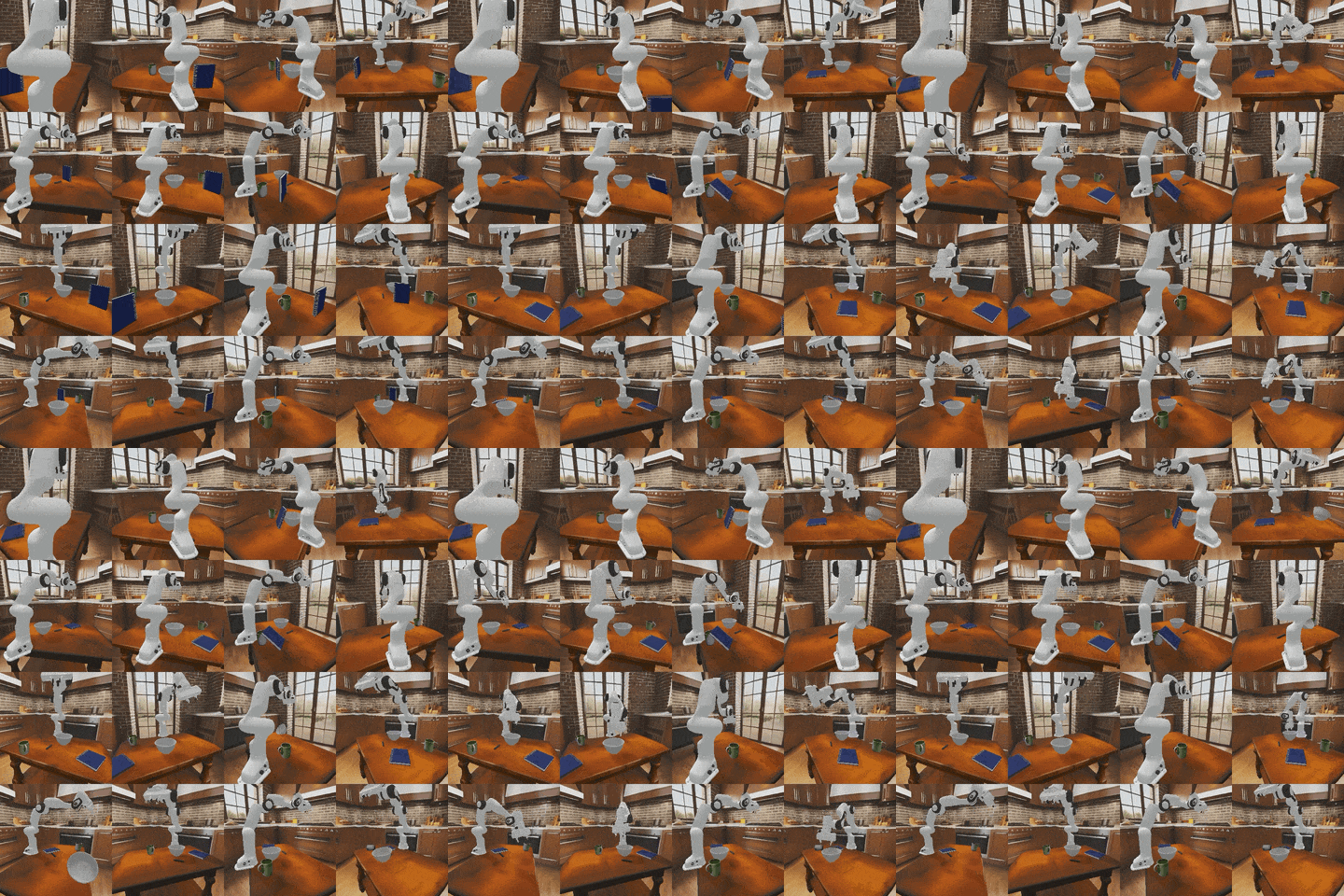
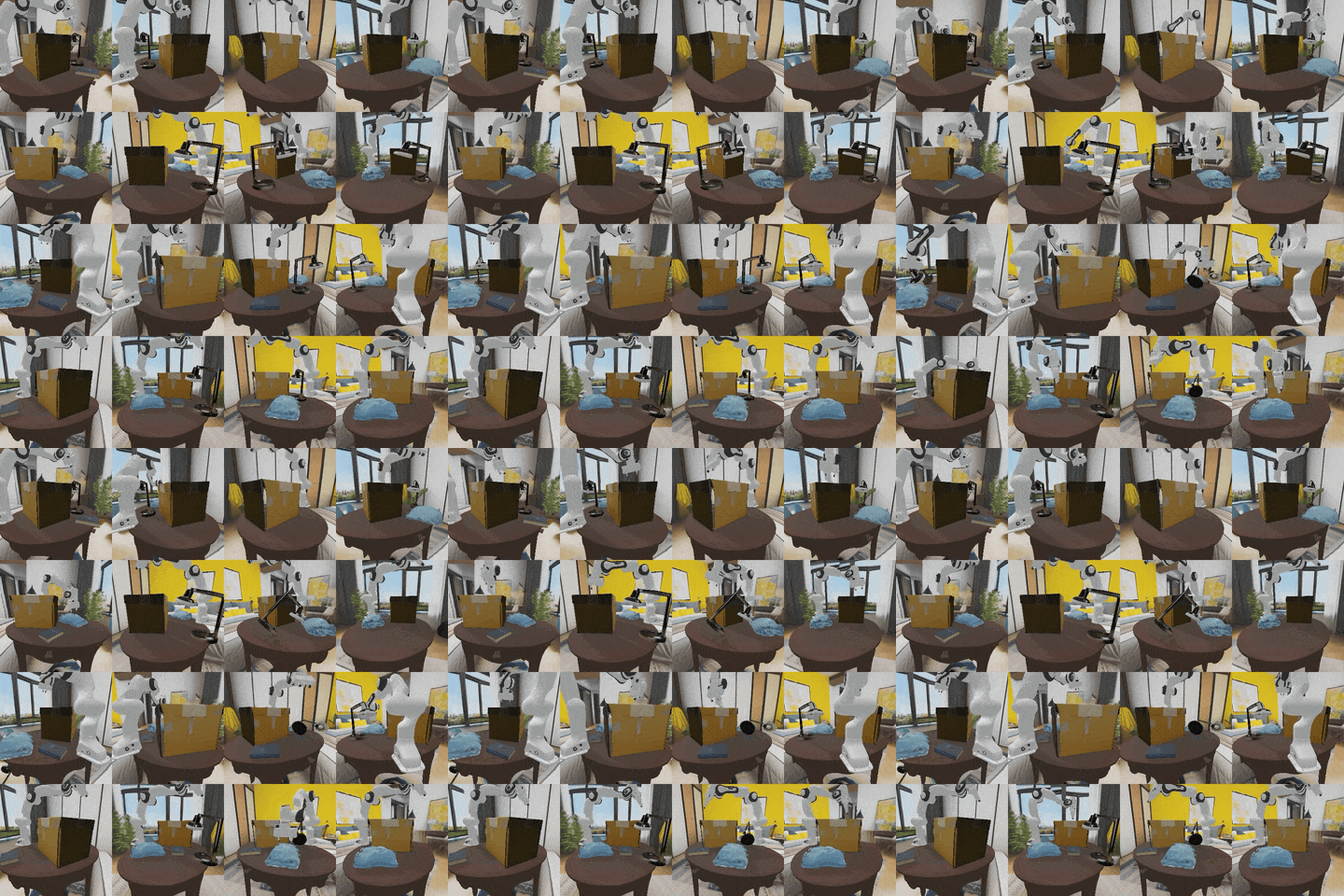
Example: generate multiple parallel simulation envs with `gym.make` and record sensor and trajectory data.
```sh
python embodied_gen/scripts/parallel_sim.py \
--layout_file "outputs/layouts_gen/task_0000/layout.json" \
--output_dir "outputs/parallel_sim/task_0000" \
--num_envs 16
```
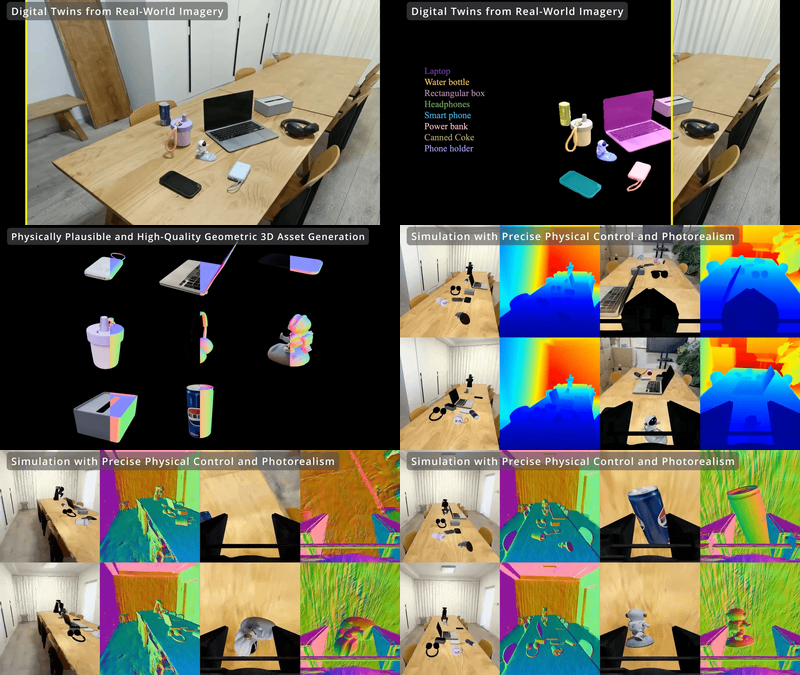
### 🖼️ Real-to-Sim Digital Twin
 ---
---
🎮 Any Simulators
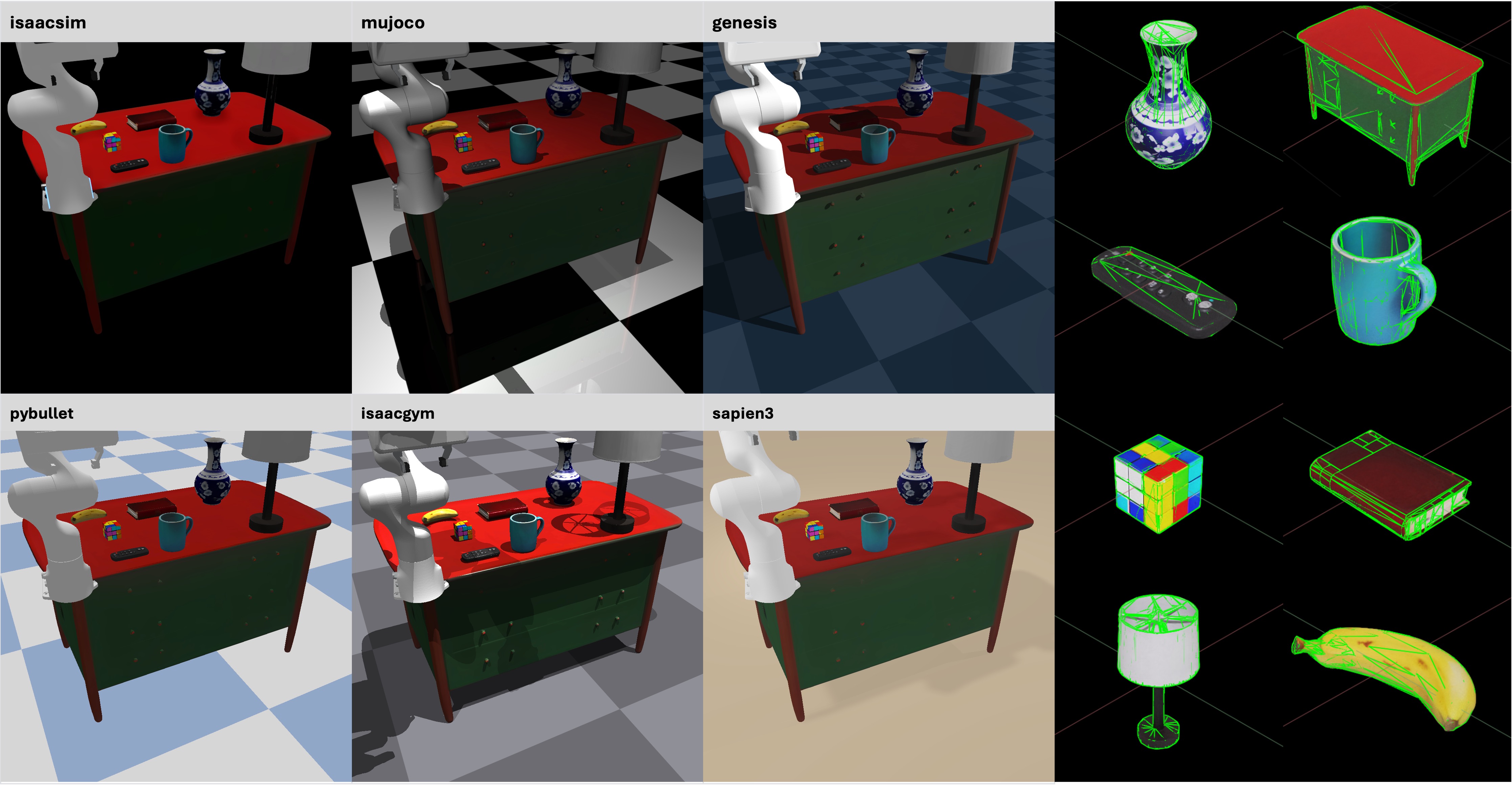
Use EmbodiedGen-generated assets with correct physical collisions and consistent visual effects in any simulator
([isaacsim](https://github.com/isaac-sim/IsaacSim), [mujoco](https://github.com/google-deepmind/mujoco), [genesis](https://github.com/Genesis-Embodied-AI/Genesis), [pybullet](https://github.com/bulletphysics/bullet3), [isaacgym](https://github.com/isaac-sim/IsaacGymEnvs), [sapien](https://github.com/haosulab/SAPIEN)).
Example in `tests/test_examples/test_asset_converter.py`.
| Simulator | Conversion Class |
|-----------|------------------|
| [isaacsim](https://github.com/isaac-sim/IsaacSim) | MeshtoUSDConverter |
| [mujoco](https://github.com/google-deepmind/mujoco) / [genesis](https://github.com/Genesis-Embodied-AI/Genesis) | MeshtoMJCFConverter |
| [sapien](https://github.com/haosulab/SAPIEN) / [isaacgym](https://github.com/isaac-sim/IsaacGymEnvs) / [pybullet](https://github.com/bulletphysics/bullet3) | EmbodiedGen generated .urdf can be used directly |
 ---
## For Developer
```sh
pip install -e .[dev] && pre-commit install
python -m pytest # Pass all unit-test are required.
# mkdocs serve --dev-addr 0.0.0.0:8000
# mkdocs gh-deploy --force
```
## 📚 Citation
If you use EmbodiedGen in your research or projects, please cite:
```bibtex
@misc{wang2025embodiedgengenerative3dworld,
title={EmbodiedGen: Towards a Generative 3D World Engine for Embodied Intelligence},
author={Xinjie Wang and Liu Liu and Yu Cao and Ruiqi Wu and Wenkang Qin and Dehui Wang and Wei Sui and Zhizhong Su},
year={2025},
eprint={2506.10600},
archivePrefix={arXiv},
primaryClass={cs.RO},
url={https://arxiv.org/abs/2506.10600},
}
```
---
## 🙌 Acknowledgement
EmbodiedGen builds upon the following amazing projects and models:
🌟 [Trellis](https://github.com/microsoft/TRELLIS) | 🌟 [Hunyuan-Delight](https://huggingface.co/tencent/Hunyuan3D-2/tree/main/hunyuan3d-delight-v2-0) | 🌟 [Segment Anything](https://github.com/facebookresearch/segment-anything) | 🌟 [Rembg](https://github.com/danielgatis/rembg) | 🌟 [RMBG-1.4](https://huggingface.co/briaai/RMBG-1.4) | 🌟 [Stable Diffusion x4](https://huggingface.co/stabilityai/stable-diffusion-x4-upscaler) | 🌟 [Real-ESRGAN](https://github.com/xinntao/Real-ESRGAN) | 🌟 [Kolors](https://github.com/Kwai-Kolors/Kolors) | 🌟 [ChatGLM3](https://github.com/THUDM/ChatGLM3) | 🌟 [Aesthetic Score](http://captions.christoph-schuhmann.de/aesthetic_viz_laion_sac+logos+ava1-l14-linearMSE-en-2.37B.html) | 🌟 [Pano2Room](https://github.com/TrickyGo/Pano2Room) | 🌟 [Diffusion360](https://github.com/ArcherFMY/SD-T2I-360PanoImage) | 🌟 [Kaolin](https://github.com/NVIDIAGameWorks/kaolin) | 🌟 [diffusers](https://github.com/huggingface/diffusers) | 🌟 [gsplat](https://github.com/nerfstudio-project/gsplat) | 🌟 [QWEN-2.5VL](https://github.com/QwenLM/Qwen2.5-VL) | 🌟 [GPT4o](https://platform.openai.com/docs/models/gpt-4o) | 🌟 [SD3.5](https://huggingface.co/stabilityai/stable-diffusion-3.5-medium) | 🌟 [ManiSkill](https://github.com/haosulab/ManiSkill)
---
## ⚖️ License
This project is licensed under the [Apache License 2.0](LICENSE). See the `LICENSE` file for details.
---
## For Developer
```sh
pip install -e .[dev] && pre-commit install
python -m pytest # Pass all unit-test are required.
# mkdocs serve --dev-addr 0.0.0.0:8000
# mkdocs gh-deploy --force
```
## 📚 Citation
If you use EmbodiedGen in your research or projects, please cite:
```bibtex
@misc{wang2025embodiedgengenerative3dworld,
title={EmbodiedGen: Towards a Generative 3D World Engine for Embodied Intelligence},
author={Xinjie Wang and Liu Liu and Yu Cao and Ruiqi Wu and Wenkang Qin and Dehui Wang and Wei Sui and Zhizhong Su},
year={2025},
eprint={2506.10600},
archivePrefix={arXiv},
primaryClass={cs.RO},
url={https://arxiv.org/abs/2506.10600},
}
```
---
## 🙌 Acknowledgement
EmbodiedGen builds upon the following amazing projects and models:
🌟 [Trellis](https://github.com/microsoft/TRELLIS) | 🌟 [Hunyuan-Delight](https://huggingface.co/tencent/Hunyuan3D-2/tree/main/hunyuan3d-delight-v2-0) | 🌟 [Segment Anything](https://github.com/facebookresearch/segment-anything) | 🌟 [Rembg](https://github.com/danielgatis/rembg) | 🌟 [RMBG-1.4](https://huggingface.co/briaai/RMBG-1.4) | 🌟 [Stable Diffusion x4](https://huggingface.co/stabilityai/stable-diffusion-x4-upscaler) | 🌟 [Real-ESRGAN](https://github.com/xinntao/Real-ESRGAN) | 🌟 [Kolors](https://github.com/Kwai-Kolors/Kolors) | 🌟 [ChatGLM3](https://github.com/THUDM/ChatGLM3) | 🌟 [Aesthetic Score](http://captions.christoph-schuhmann.de/aesthetic_viz_laion_sac+logos+ava1-l14-linearMSE-en-2.37B.html) | 🌟 [Pano2Room](https://github.com/TrickyGo/Pano2Room) | 🌟 [Diffusion360](https://github.com/ArcherFMY/SD-T2I-360PanoImage) | 🌟 [Kaolin](https://github.com/NVIDIAGameWorks/kaolin) | 🌟 [diffusers](https://github.com/huggingface/diffusers) | 🌟 [gsplat](https://github.com/nerfstudio-project/gsplat) | 🌟 [QWEN-2.5VL](https://github.com/QwenLM/Qwen2.5-VL) | 🌟 [GPT4o](https://platform.openai.com/docs/models/gpt-4o) | 🌟 [SD3.5](https://huggingface.co/stabilityai/stable-diffusion-3.5-medium) | 🌟 [ManiSkill](https://github.com/haosulab/ManiSkill)
---
## ⚖️ License
This project is licensed under the [Apache License 2.0](LICENSE). See the `LICENSE` file for details.